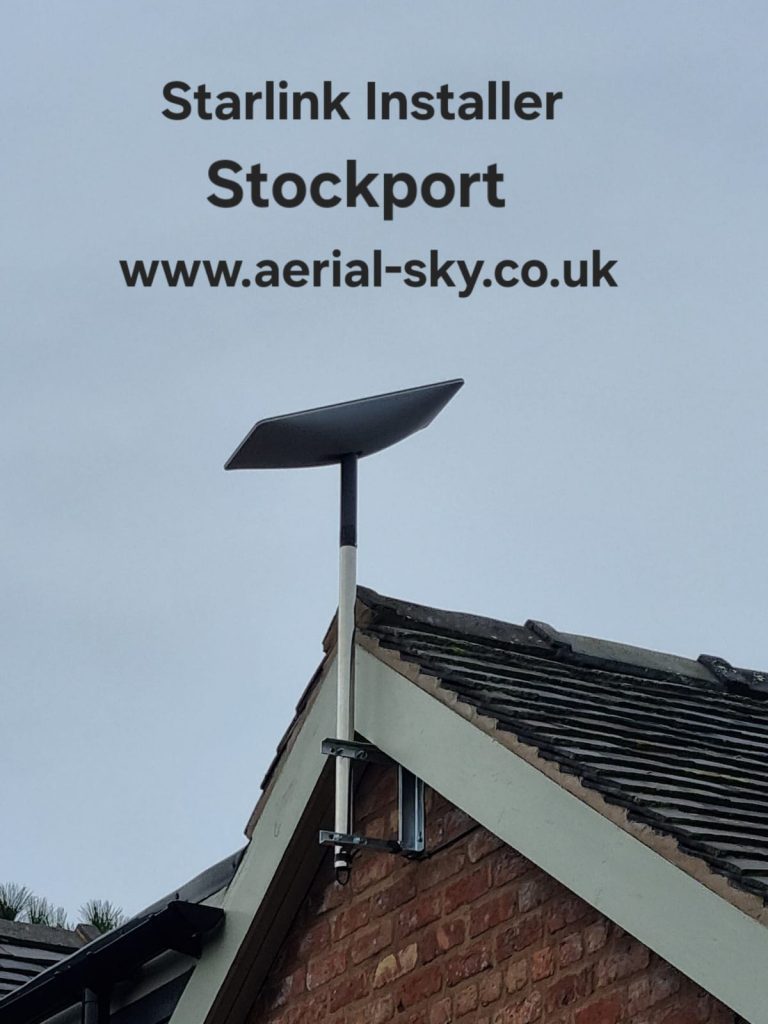
This Starlink installation in Stockport was for a home office struggling with a slow existing broadband connection. The original project notes recorded speeds of around 13 Mbps before the work. A substantial roof overhang made the mounting position a central part of the job.
Working around the roof overhang
The dish needed a position that cleared the building rather than sitting too close to the projecting roof. We used a heavy-duty bracket to provide that clearance. This is why a useful quotation starts with the property and its access, not just the price of a standard bracket.
What the initial connection test showed
After installation, the original account reported a download test above 244 Mbps. That was a result from this particular visit, not a promised speed for future customers. Satellite broadband performance varies with the service, network conditions, obstructions and the equipment used for the test.
For someone working from home, the indoor connection also matters. Explain where the desk is, how many rooms need coverage and whether existing network cables are available. The outdoor dish position and the route to the router should be considered together.
Watch the original project video
Watch the Stockport home-office installation video linked in our original project report. It provides context for this particular installation; other buildings may need a different arrangement.
Planning a similar installation
Our Starlink mounting-position checklist explains the photographs, kit details and cable-route information to prepare. For a different property example, see the Stockport new-build project.
Contact Aerial & Sky with your postcode and a ground-level photograph of the property, or call 0800 669 6509. We can discuss the mounting work and indoor setup before you book.